> For the complete documentation index, see [llms.txt](https://docs.orioleinsights.io/home/llms.txt). Markdown versions of documentation pages are available by appending `.md` to page URLs; this page is available as [Markdown](https://docs.orioleinsights.io/home/whitepaper/telegram-mini-app/mini-app-and-web-account-connection-guide.md).
# Mini App & Web: Account Connection Guide
Learn how to seamlessly connect your Oriole Insights web account with the Telegram Mini App. Follow step-by-step instructions to log in, create a new account, or resolve duplicate account issues.
Oriole Insights Mini App lets you make quick UP/DOWN predictions, track rewards, and sync your account seamlessly between Telegram and our web platform. Whether you're a new or existing user, follow the steps below to connect your profile.
* **New Users (No Web platform account):** If you sign in via Telegram, a new Oriole Insights account will be automatically created and linked to your Telegram ID. This new account will fully function on the Mini App and Web platforms.
* **Existing Users (with a Web account)**: Simply log in via **Telegram** using the same credentials to sync your **Mini App** with your **Oriole Insights account.**
* **Duplicate Accounts (accidental creation):** If a user mistakenly creates a new account instead of linking their existing one, they should follow the steps outlined in this guide to resolve the issue.
### How to create an account in the Mini App? *(For new users)*
If you are new to Oriole Insights and don’t have an account on the Web platform, follow these steps to create one through the Telegram Mini App and access your account on the Web version.
**Create an Account in the Telegram Mini App**
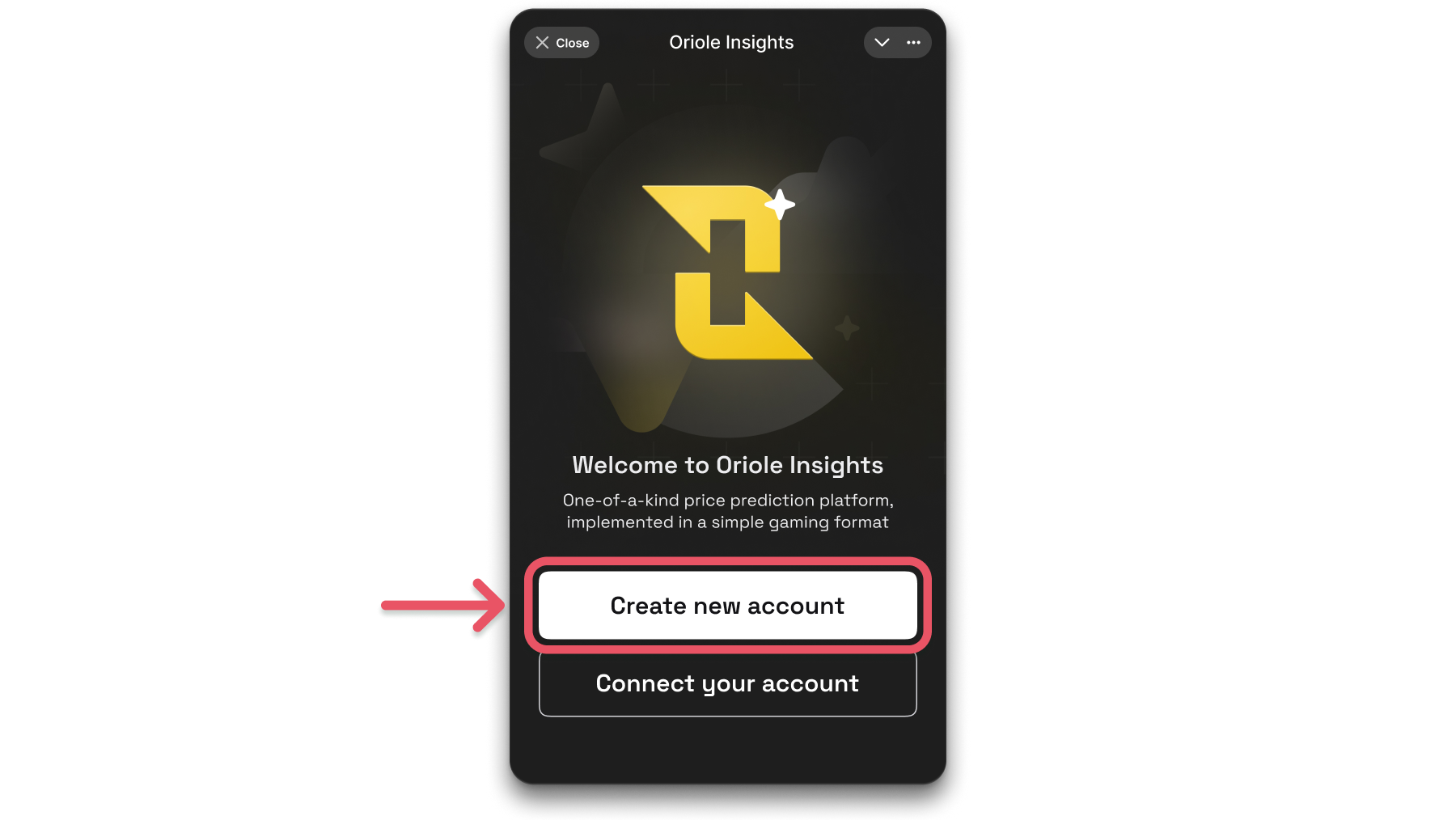
* Open the **Oriole Insights Mini App** in Telegram.
* Tap **"Create new account"** to generate an account linked to your Telegram.
* Your account is now active, and as a welcome bonus, you will receive **300 ORI** if you are one of the first **10,000** new users.
**Log in to the Web Platform**
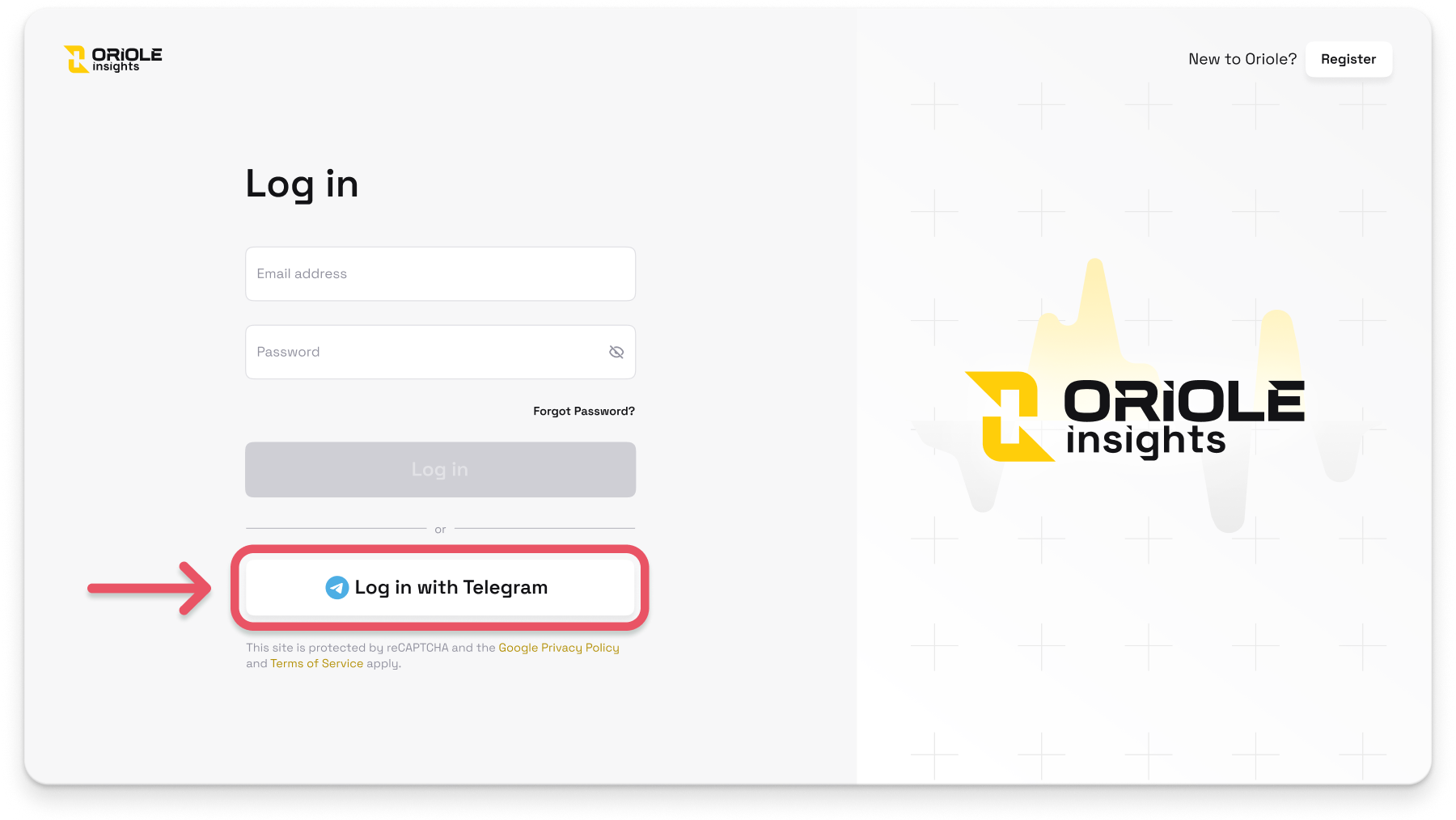
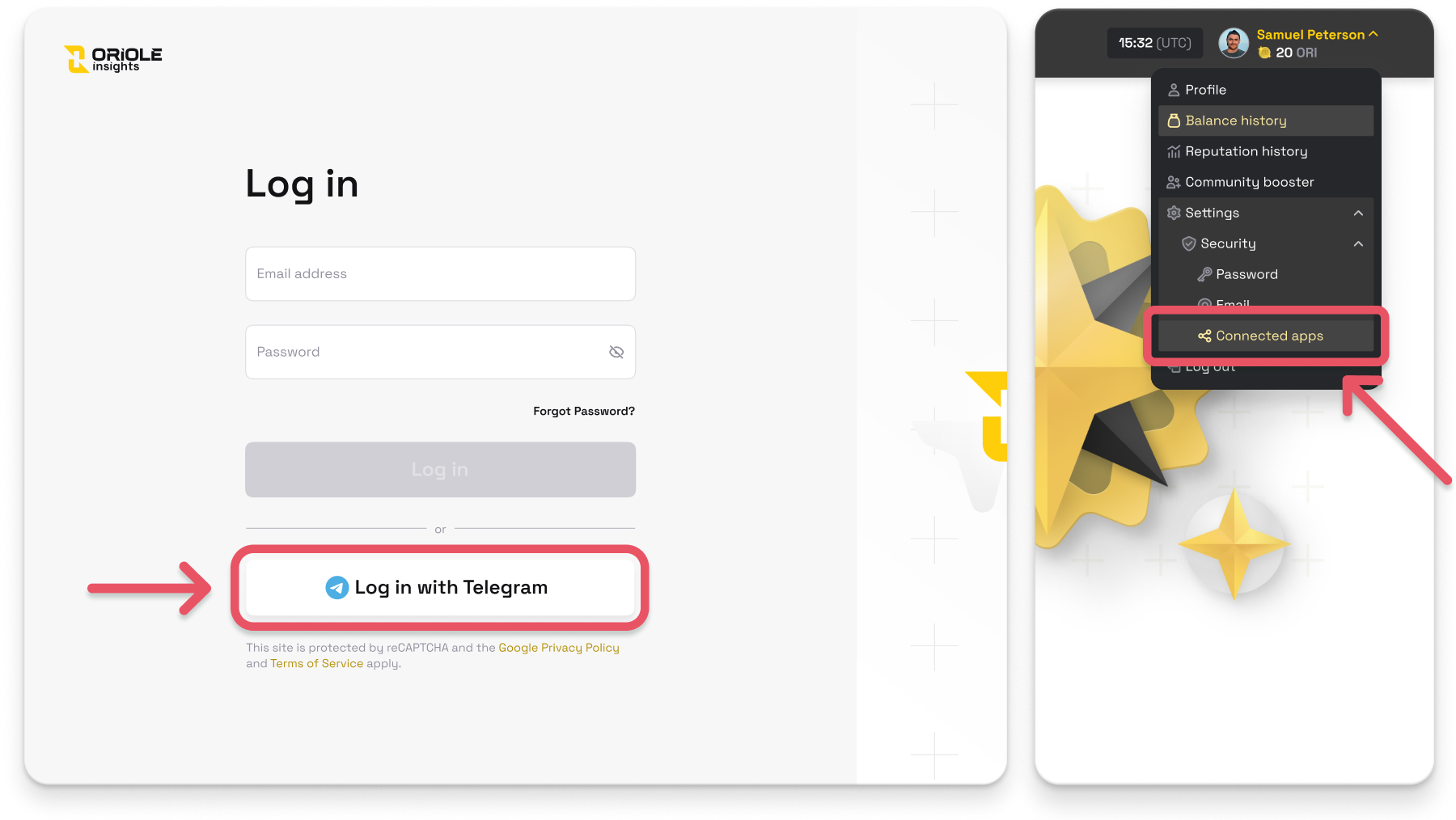
* Visit [**Oriole Insights Web Platform**](https://app.orioleinsights.io/).
* Click **"Log in with Telegram"** to access your account.
* Your **Mini App data** will be available in the **Web version**, and new markets and functionality are now available.
#### **How to link an email to your Oriole Insights account**
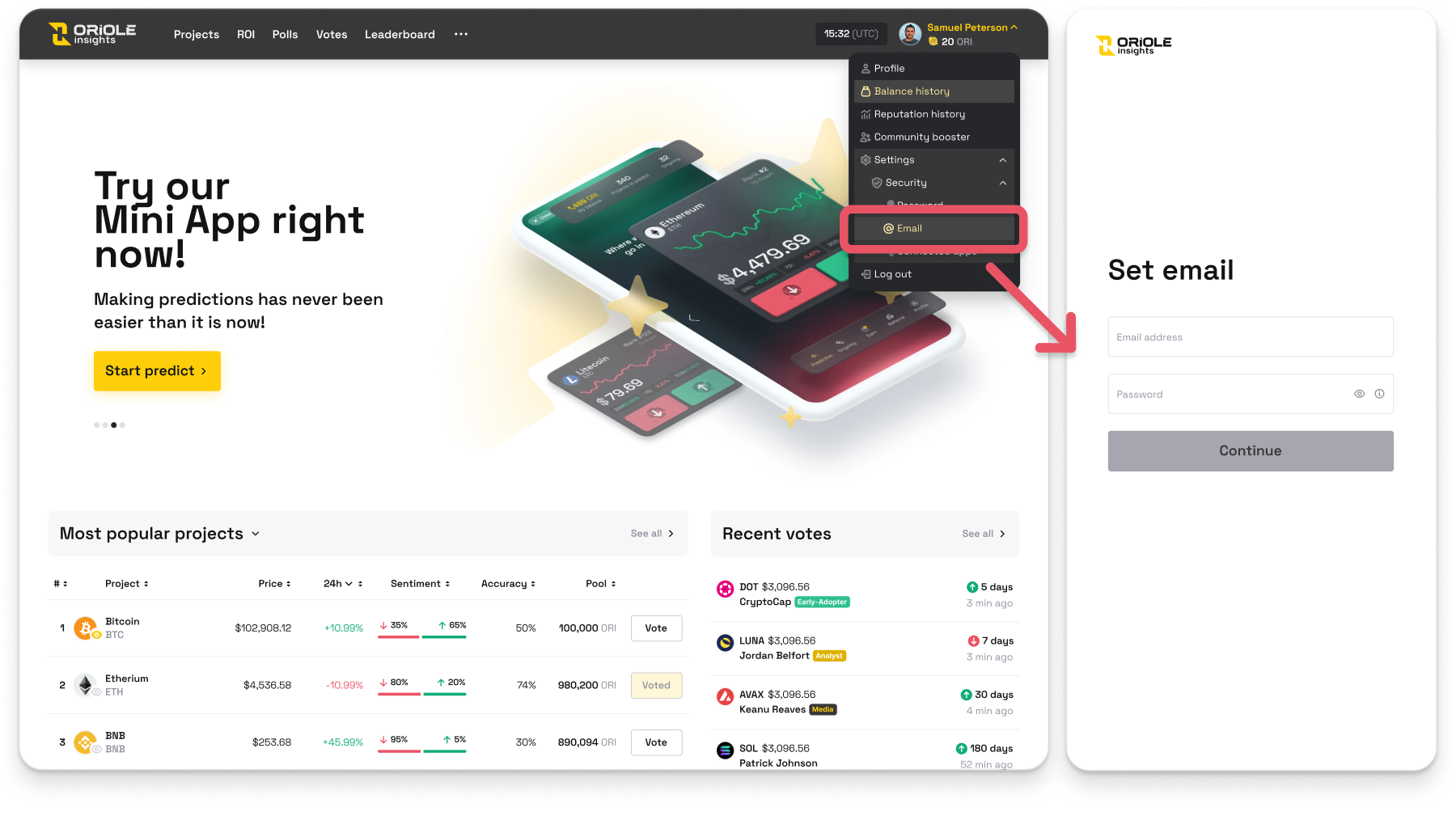
* Click on your **profile icon** in the top-right corner.
* Select **Settings** > **Security** > **Email** from the dropdown menu.
* Enter your **email address** and **create a password** for your account.
* Click **"Continue"** to confirm the email setup.
* Once set, you can **log in** using your **email and password** instead of Telegram. This ensures uninterrupted access to your account in case of any Telegram-related issues.
### **How to connect the Mini App to your Web profile?** *(For registered users)*
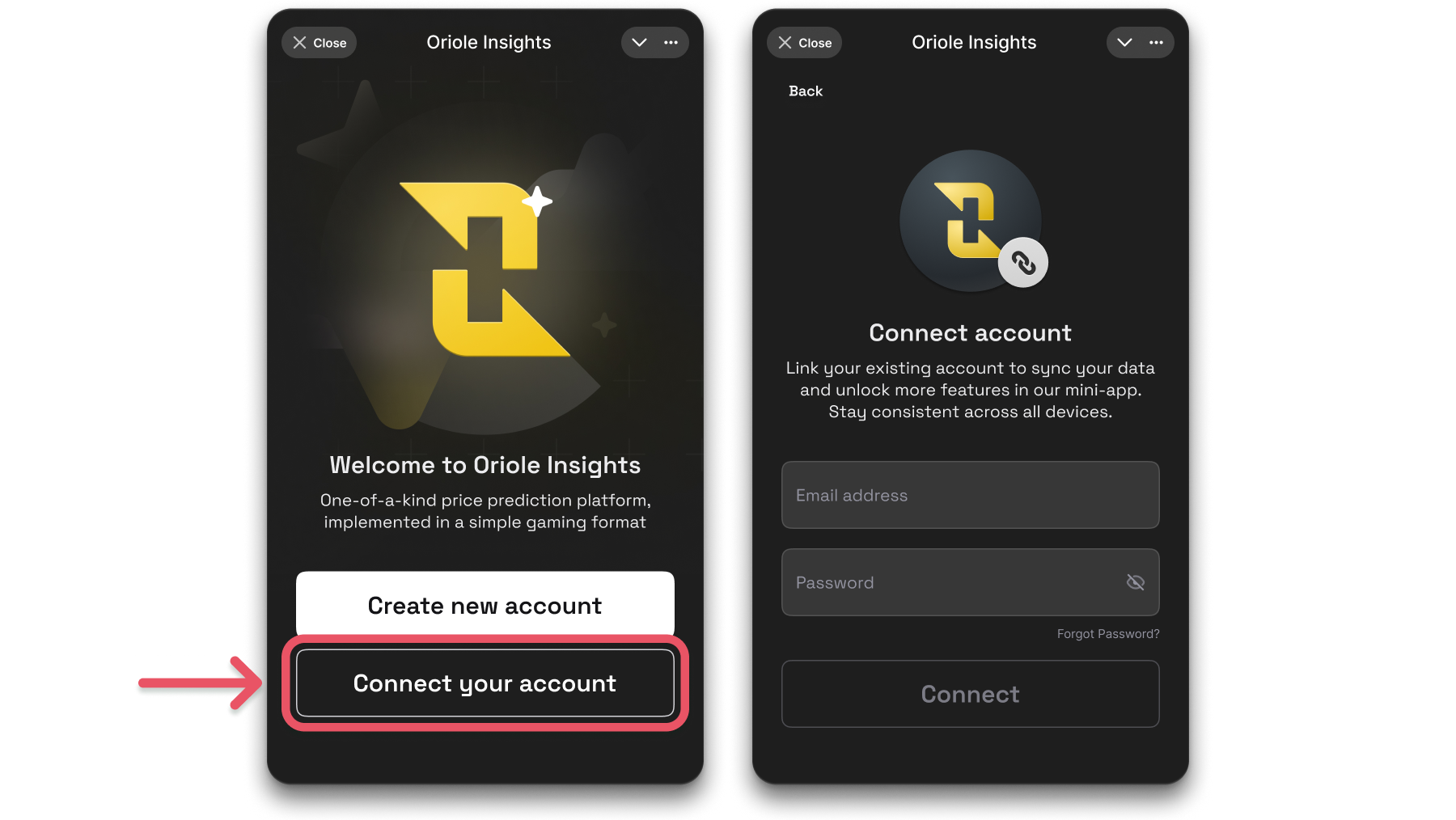
* **Open the Oriole Insights Mini App** in Telegram.
* **Tap "Connect your account."**
* **Enter the email and password** associated with your Oriole Insights web account.
* **Tap "Connect."**
* Your **Mini App and web account** are now fully synced. All your data, including votes and rewards, **stays updated** across both platforms.
### **What to do if you accidentally created a new account?** *(For duplicate account resolution)*
If you accidentally created a new account in the Oriole Insights Telegram Mini App but already have an existing account on the web platform, follow these steps to unlink Telegram and connect your real account:
#### **Step 1**
* **Log in to the new account created through Telegram.**
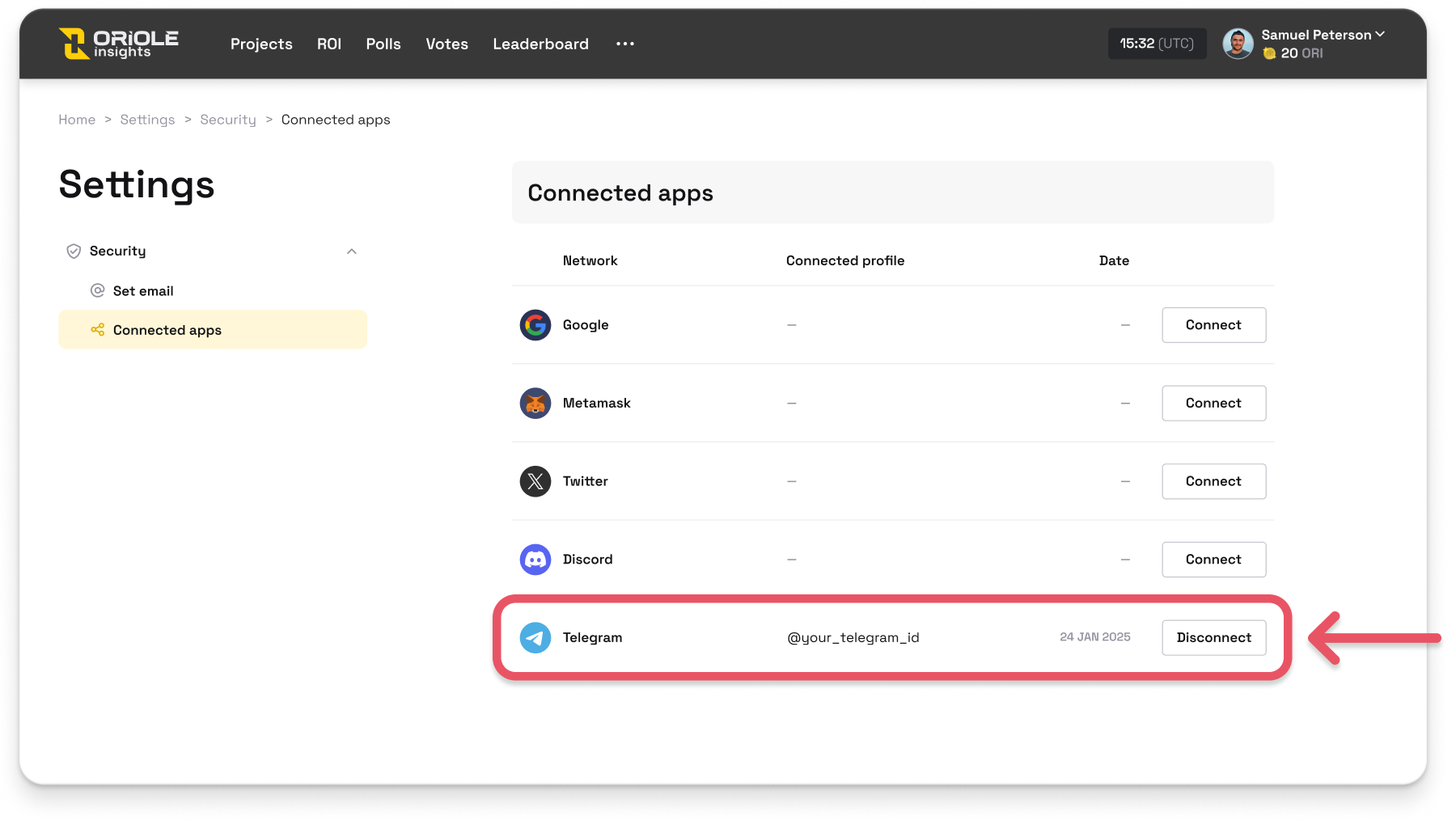
* **Go to Settings** > **Security** > **Connected Apps**.
* Locate **Telegram** in the connected apps list.
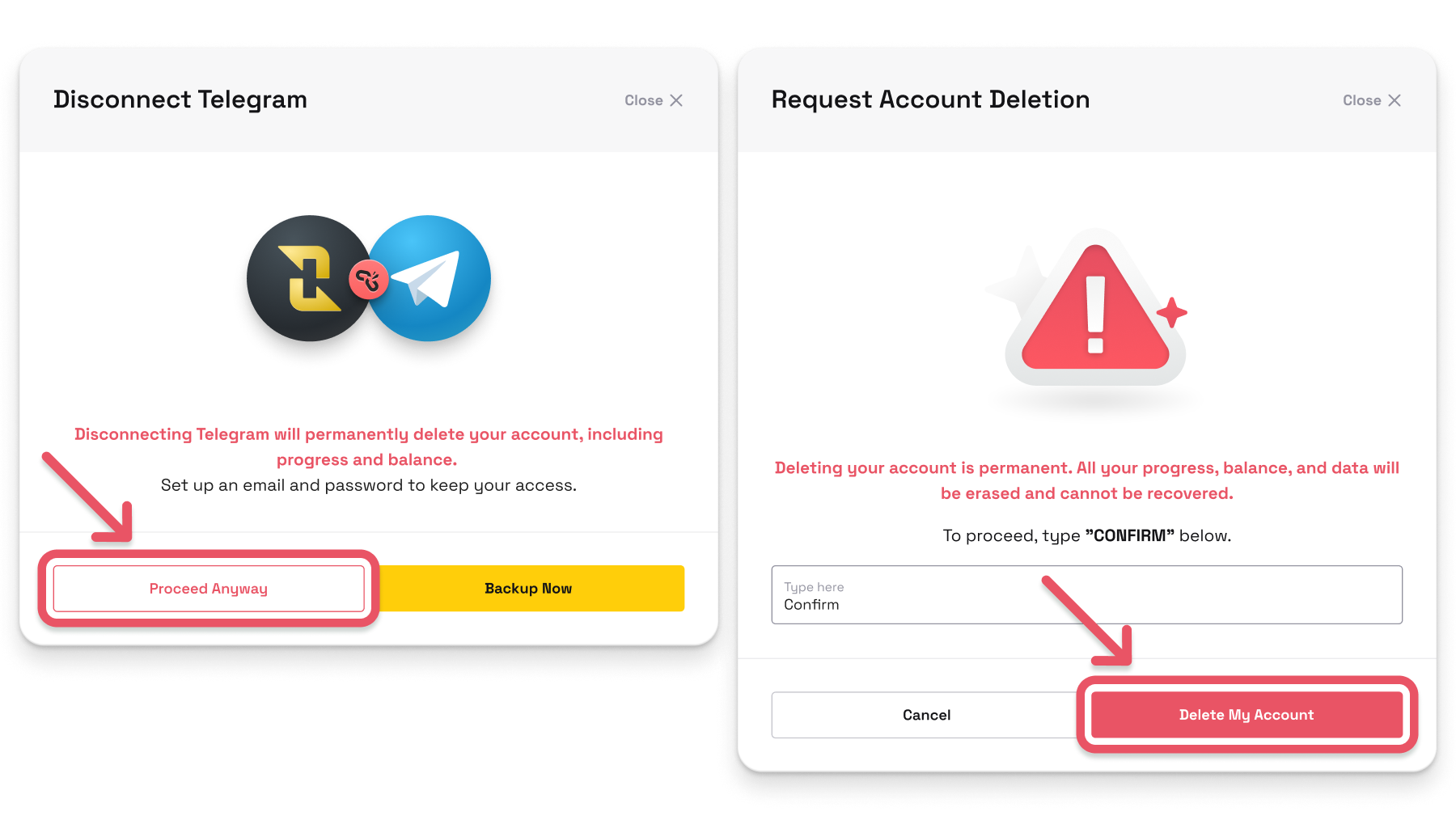
* Click **Disconnect** and follow the on-screen prompts to complete the disconnection process.
\
***NOTE:⚠️ This will permanently delete the mistakenly created account, including all progress and balance associated with it.***
#### **Step 2**
* After the deletion process, open the **Oriole Insights Telegram Mini App**.
* Instead of creating a new account, select **"Connect Your Account"**.
* Log in using the **email and password** associated with your existing Oriole Insights web account.
* Once logged in, your **Telegram Mini App will be synced** with your account.